


Amigo Plan: IDEA Cellular, AirTel
Unlimited
eSIM for India
Trusted by
Check CompatibilityOur India eSIM provides instant connectivity for travellers nationwide. Eliminating physical SIM swaps, we offer high-speed internet at competitive rates.
-

Quick Installation
-

Instant Activation
-

Money-back Guarantee!
1 / 3
How long is your trip?
Choose your plan

No Plan Available
No Plan Available
Secure Payment with:


Amigo Plan: IDEA Cellular, AirTel
Unlimited
How to Get Started with Amigo eSIM for India
Set up your eSIM in minutes — no physical SIM needed.
Works on most unlocked smartphones worldwide.
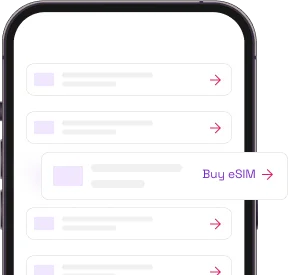
Buy a plan
Buy a plan that suits your travel duration. Make sure to check your device's compatibility.
To check compatibility dial *#06#. If you have an EID code your phone is eSIM compatible.
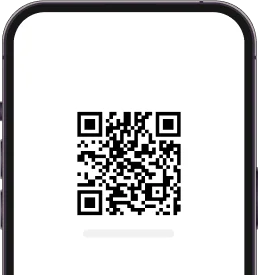
Install your eSIM
You will receive an email with a QR code and installation details. Simply scan the QR code to kick-start your installation.
For Three plans, you will need to insert the 4-digit confirmation code when prompted.
Activate & connect
Your plan will get activated once you land to your destination. Remember to turn on data roaming of your eSIM.
Why choose Amigo eSIM in India
Instant eSIM delivery
Instant eSIM delivery straight to your email—perfect for last-minute plans! Stay connected hassle-free, no matter when you buy.
Always on support
With Amigo eSIM, you're never alone! Our team is always here to support you whenever you need help. Hassle-free, reliable, and always happy to assist!
Reliable connection
Amigo eSIM automatically connects to the strongest network in every country, guaranteeing seamless and uninterrupted connectivity wherever you go!
Cost-effective plans
Stay connected for less! Enjoy budget-friendly plans that keep you online without stretching your wallet.
Keep your primary number
Keep your number, keep your chats! With Amigo eSIM, there's no need to update your number or WhatsApp details—stay connected hassle-free!
Share your data
Share your connection effortlessly! Turn on your personal hotspot with Amigo eSIM and enjoy seamless connectivity across all your devices.
As seen in










Why travelers choose Amigo eSIM
Is my phone eSIM compatible?
Your phone must be eSIM compatible and unlocked.
Dial this on your phone
*#06#If an EID number appears, your phone is eSIM compatible and ready to go. No app, no settings menu — it takes seconds.
iOS (Apple & iPhone)
- Go to Settings > General > About.
- Scroll down to Carrier Lock or Network Provider Lock.
- If it says "No SIM restrictions" — unlocked. If it lists a network, it's locked.
Android devices
- Go to Settings > Connections (or Network & Internet) > Mobile Networks.
- Tap Network Operators or Choose Network.
- Turn off "Select automatically" — if multiple networks appear, it's unlocked. If only your carrier shows, it's likely locked.
Reliable and fast connection
Enjoy all your favourite apps in peace
-
Uninterrupted voice and video calls
-
Share all your beautiful moments
-
Go viral on TikTok
-
Event share short stories about your experience
-
Navigate without worrying too much
-
And don't stop your streaming, even when in other country!
eSIM India: No Roaming Charges
eSIM in India eliminates roaming charges, letting you stay connected without added costs.
Quick eSIM Activation in India
Travel-ready in minutes. eSIM in India activates online with zero hassle.
Reliable eSIM Coverage in India
Explore India with reliable eSIM coverage that keeps you online, from cities to remote spots.
Devices Compatible with eSIM in India
Supports eSIM-ready phones, including iPhone, Samsung, Pixel and more—perfect for your stay in India.
Blog Posts

How much would it cost to go to India? - 2026 Guide

07.01.2026
From the vibrant chaos of Delhi to the spiritual tranquility of the Himalayas, India is a land of co...
10m 11s read Read More
How to keep Indian number active for OTPs while using a travel eSIM?

24.11.2025
Traveling abroad with a new eSIM but still need OTPs from your Indian number? This guide explains ho...
10m 6s read Read More
How much does it cost to vacation in Taiwan? - 2026 Guide
22.05.2026
Taiwan is a captivating blend of neon-lit night markets, misty mountain trails, ancient temples, and...
14m 16s read Read More
What is the real cost of a trip to Nicaragua? - 2026 Guide
22.05.2026
Nicaragua is Central America's most affordable and least crowded destination, offering colonial gems...
10m 31s read Read More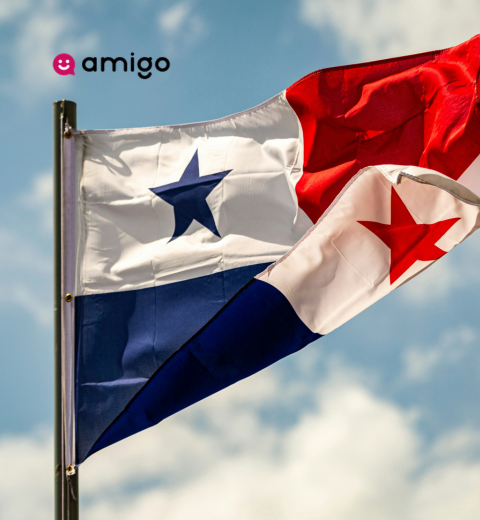
How much money does it cost to go to Panama? - 2026 Guide
22.05.2026
Panama bridges two continents and two oceans, offering the engineering marvel of the Panama Canal, t...
13m 5s read Read More
How much would it cost to go to Senegal? - 2026 Guide
22.05.2026
Senegal is West Africa's most welcoming gateway, offering the vibrant music and art scene of Dakar,...
10m 11s read Read MoreFrequently Asked Questions
Yes, India is a country where eSIMs are available. The connection of India eSIM might differ based on the location.
With Amigo eSIM, you can get an India eSIM from wherever and whenever you want. Simply visit Amigo eSIM's eSIM for India plan page, pick your plan, and instantly pay with Google Pay or Apple Pay, depending on the device you use.
Yes. Everyone can buy an India eSIM, either before arriving or throughout their India visit.
With Amigo eSIM, you can get an eSIM for India from wherever and whenever you want. Simply visit Amigo eSIM's India plan page, pick your plan, and instantly pay with Google Pay or Apple Pay, depending on the device you use.
Amigo eSIM for India is among the top recommendations for its convenience and reliable service.
