

eSIM tips for seamless travel around Australia
Australia is a land of staggering contrast, offering everything from the Great Barrier Reef to the rugged Outback, but its sheer size makes staying connected a logistical challenge. Instead of wasting precious vacation time hunting for a local SIM card at the airport, savvy travelers are switching to eSIMs for instant, hassle-free access.
In this guide, Amigo will break down exactly how to skip the queues and secure seamless internet coverage for your Aussie adventure before you even pack your bags.
What is an eSIM, and why is it essential for Australia?
An eSIM (Embedded SIM) is a digital chip built directly into your phone, replacing the need for a physical plastic card. It allows you to download and activate a cellular plan instantly by scanning a QR code, eliminating the hassle of swapping tiny components.
For travelers in Australia, this technology is essential due to the country's vast geography. With the recent phase-out of 3G networks to prioritize high-speed 4G and 5G, having a reliable connection is crucial for navigation and safety across long distances. Instead of hunting for a SIM kiosk after a 14-hour flight, an eSIM connects you the moment you land, letting you order an Uber or access maps immediately.
You can read more about Australia's network modernization on the Australian Competition and Consumer Commission (ACCC) website.
Why choose eSIM over traditional SIM cards?
While the traditional plastic card has served us well for decades, the benefits of switching to digital for your Aussie trip are undeniable.
The debate between physical SIMs and eSIMs usually comes down to three factors: cost, convenience, and security.
1. Significant cost savings
International roaming charges from your home carrier can be exorbitant. Many travelers return home to “bill shock” after realizing their provider charged them upwards of $10 per day just to keep their line active. Local Australian physical SIMs are cheaper, but they often come with tourist premiums at airport kiosks.
Specialized eSIM providers like Amigo eSIM bridge this gap by offering local rates without the markup, allowing you to pay for exactly the data you need—often at a fraction of the cost of roaming.
2. The convenience of dual connectivity
One of the biggest advantages is the ability to keep your home number active. By using an eSIM for data, you can keep your physical SIM slot occupied by your home card. This means you can still receive Two-Factor Authentication (2FA) codes for your banking apps or emergency calls from family, while all your heavy data usage (Maps, Instagram, TikTok) runs through the more affordable Australian eSIM profile.
3. Security and durability
Physical SIM cards are tiny and easily lost. If you swap cards on a plane, there is a high risk of dropping your home SIM between the seats, never to be seen again. An eSIM cannot be physically lost or stolen unless the phone itself is taken
How to set up your eSIM for Australia 2026
The process might sound technical, but it is actually easier than booking a flight. Here is a step-by-step breakdown to get you online.
Setting up an eSIM is a straightforward process, but doing it in the right order is key to a stress-free arrival.
1. Check device compatibility
First, ensure your smartphone is eSIM-compatible and carrier-unlocked.
- Apple: iPhone XR, XS, and newer models
- Samsung: Galaxy S20 series and newer
- Google: Pixel 3 and newer
Most phones manufactured after 2019 support this technology, but it is always worth checking your manufacturer's official specifications.
2. Choose and purchase your plan
This is the planning phase. Before you fly, assess how much data you will need. Are you just using Google Maps, or are you planning to stream 4K videos of the Great Barrier Reef?
When planning your itinerary, you might be browsing comprehensive guides on platforms like Australia Experiences to find the best hidden gems and tour operators. To access these resource-heavy sites on the go, you'll need a robust data plan. Providers often offer tiered packages ranging from 1GB for short layovers to unlimited data for month-long road trips.
For example, Amigo eSIM offers flexible eSIMs for Australia with durations (7, 14, 30 days), which is perfect if you are combining a short city break in Melbourne with a longer campervan excursion. Purchasing is done entirely online, meaning you can do it from your sofa weeks before your trip.
3. Install and activate
Once you purchase a plan, you will typically receive a QR code via email.
- Scan: Go to Settings > Cellular/Mobile Data > Add Data Plan. Scan the QR code.
- Label: Label this new plan "Australia" or "Travel" to distinguish it from your primary number.
- Activate: Crucial step—You can install the eSIM while you are still at home, but do not turn on Data Roaming for this line until you land in Australia.
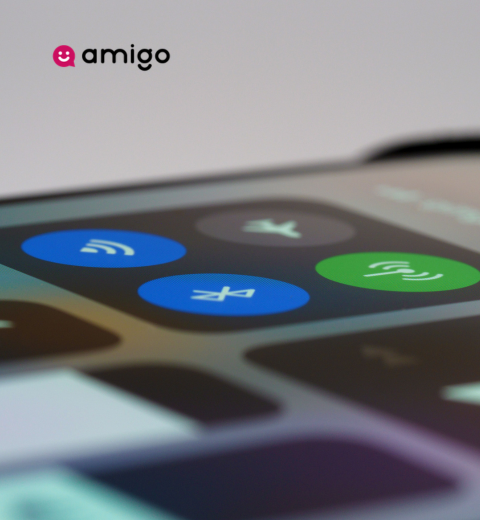
- Arrival: Once you land, switch your "Mobile Data" source to the Australian eSIM and toggle "Data Roaming" to ON. You should connect to a local network (like Optus or Vodafone) instantly.
Top tips for using eSIM in Australia
Having the technology is one thing; using it effectively to navigate the Australian landscape is another. Here are expert tips to optimize your connectivity.
Australia is not just another country; it is a continent with extreme weather and vast empty spaces. Your approach to data needs to be strategic.
1. Understand Network Coverage (Telstra, Optus, Vodafone)
Australia relies on three major network infrastructures: Telstra, Optus, and Vodafone.
- Telstra has the widest coverage, reaching deep into rural and regional areas.
- Optus covers about 98.5% of the population and is excellent for all major cities and coastal routes.
- Vodafone is strong in metropolitan areas but can be patchy in the remote Outback.
Most travel eSIMs roam on either Optus or Vodafone networks. If you are sticking to the "East Coast Trail" (Sydney, Brisbane, Cairns) or visiting Melbourne and Perth, an eSIM is perfect. However, if you are planning a deep expedition into the Northern Territory desert, check which network your eSIM provider partners with. You can view detailed coverage maps on Nperf.
2. Manage your data usage
Data can disappear quickly when you are traveling. To stretch your gigabytes further:
- Download Offline Maps: Google Maps allows you to download entire areas (like “Greater Sydney”) for offline use. This saves a massive amount of data while navigating.
- Turn off Background App Refresh: Ensure apps like Facebook or Email aren't constantly syncing in the background.
- Use Wi-Fi for Backups: Wait until you are back at your hotel Wi-Fi to back up high-resolution photos to iCloud or Google Photos.
- Monitor Consumption: Use your phone's built-in data tracker to see exactly how much you have used.
3. Prepare for installation before departure
Do not rely on airport Wi-Fi to receive your eSIM QR code. Airport networks can be slow, insecure, or require SMS verification (which you might not receive if you have already swapped SIMs).
Pro Tip: Take a screenshot of your QR code or print it out on paper. If you only have one phone, you cannot easily scan a QR code displayed on its own screen. Having a backup image ensures you can scan it no matter what happens.
Conclusion
Traveling around Australia is a bucket-list experience that deserves your full attention, not the frustration of hunting for connectivity. Embracing eSIM technology offers the freedom to explore the urban alleyways of Melbourne or the sandy shores of the Gold Coast with the peace of mind that you are always just a tap away from information, safety, and sharing your journey.
By choosing a reliable provider like Amigo eSIM and preparing your device ahead of time, you eliminate one of the biggest friction points of modern travel. The digital revolution has made exploring the world easier than ever—so scan that code, pack your bags, and get ready to say “G’day” to an unforgettable Australian adventure.
FAQs about eSIM in Australia
1. Will my WhatsApp number change if I use an Australian eSIM?
No, it will not. When you activate your eSIM for data, WhatsApp will ask if you want to keep your existing number. Select “Keep” (or “Yes”), and you can continue messaging friends and family using your original contacts and history, utilizing the data from the eSIM.
2. Can I share my internet connection (Hotspot) with my travel companions?
Yes, most reputable travel eSIMs support tethering (Personal Hotspot). This is incredibly useful if you need to get some work done on your laptop or if your travel partner didn't buy a data plan. However, remember that hotspotting consumes battery and data significantly faster.
3. Does the eSIM come with a local Australian phone number?
Typically, travel eSIMs are “Data Only” plans. This means you won't get a local Australian (+61) mobile number for traditional voice calls or SMS. However, given that most services in Australia (restaurant bookings, tour confirmations) can be done online or via apps like WhatsApp/Messenger, this is rarely an issue for modern travelers.
4. Is the internet speed on an eSIM comparable to a physical SIM?
Absolutely. eSIMs use the exact same cellular towers and infrastructure as physical SIMs. You will enjoy 4G LTE or 5G speeds depending on your location and device capabilities. If you experience slow speeds, it is likely due to the location (e.g., being in a remote national park) rather than the eSIM technology itself.
5. What happens if I run out of data mid-trip?
This is where digital providers shine. Unlike physical SIMs where you might need to visit a store to top up, providers like Amigo usually allow you to buy more data or a new eSIM via the website or app. You simply purchase and continue staying connected without interruption.